The Daily Frustration
If you work with ORMB as a developer, analyst, or tester you've probably been here:
You're on a Accounts 360 page looking at a bills. You need to open the related bills without losing your place. Or you're comparing two memberships for a person side by side. Or you're mid-analysis and need to trace a something back through multiple levels of navigation.
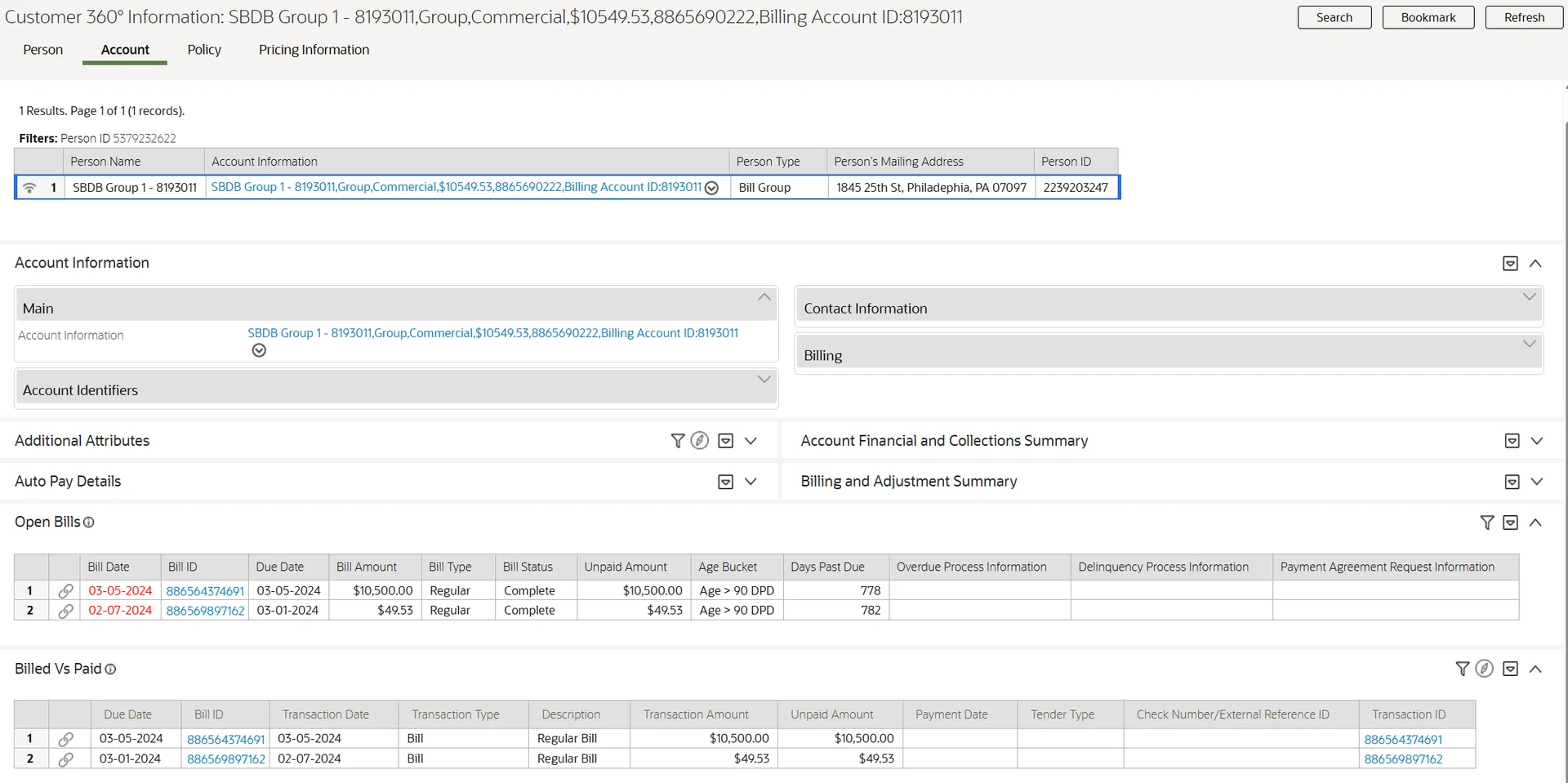
Every time, you start over. Open the application, navigate from the beginning, get back to where you were. It's not a huge deal in isolation but across a full working day, it adds up. A lot of time is spent just getting back to something . ORMB does not have urls to open something in new page.
ORMB does have a bookmarking feature. You can bookmark a page and return to it but only by opening it within the same tab, navigating through the bookmark panel. You can't open a bookmark directly in a new tab. And there's no built-in way to duplicate your current screen with all the context.
That's what I set out to fix.
What I Tried First
Browser Extension
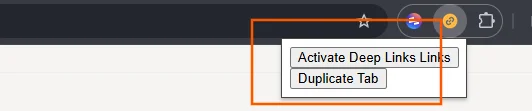
My first attempt was a browser extension. Inject JavaScript, enhance the page anchors. The problem is ORMB's frame architecture, the application runs inside a hierarchy of nested frames, and accessing them through externally injected code isn't straightforward. also base function sometimes not available, I moved on.
UI Map in the Dashboard Portal
Next I tried placing a UI Map containing JavaScript in the Dashboard (sidebar) Portal via zone. This works but the dashboard is loaded asynchronously, and if a user keeps the sidebar collapsed, the zone never loads at all. Not a reliable approach.
ORMB Already Has Deep Link Support
Before trying new more ways, I came across something in the official documentation that I hadn't noticed before: ORMB has a documented mechanism for creating deep links primarily intended for integrating with external systems.
The idea is straightforward. You can construct a URL with parameters like location, script, portal, and context values like ACCT_ID or PER_ID. When the application loads, it reads these parameters, sets the context and navigates to the right page with the right data.
Oracles official documentation : Creating Application Links in External Applications
This mechanism is designed for external systems like an email, a third-party dashboard where someone constructs a URL knowing exactly which navigation key to use and which primary key values to pass. The URL is built outside ORMB, ahead of time, with all the required parameters already known.
Inside the application that's a different problem. You're not building a URL by hand, you're on a page right now, and you need to open what's in front of you in a new tab. The navigation key for the current page, the context values that are driving what's displayed none of that is visible or easy to extract. ORMB doesn't expose it as a simple API. And with hundreds of navigation options and context fields across the application, there's no practical way to hardcode or remember these combinations for every page a user might be on.
So the challenge was: how do you read what the application already knows the navigation key for the entity, the context values and turn that into a working deep link URL dynamically, at the moment the user clicks?
The Approach: BPA Script + UI Map
The solution is built using ORMB’s deep link mechanism, which allows a BPA script to be triggered automatically during application startup via a URL parameter.
This behavior is used to inject custom logic into the application at load time.
To implement this:
- A UI Map is created to contain all custom JavaScript logic
- A BPA script is configured to invoke this map
- The script is triggered automatically when the application loads
As a result, the JavaScript is loaded into the DOM at startup and has access to the main window and ORMB’s internal APIs.
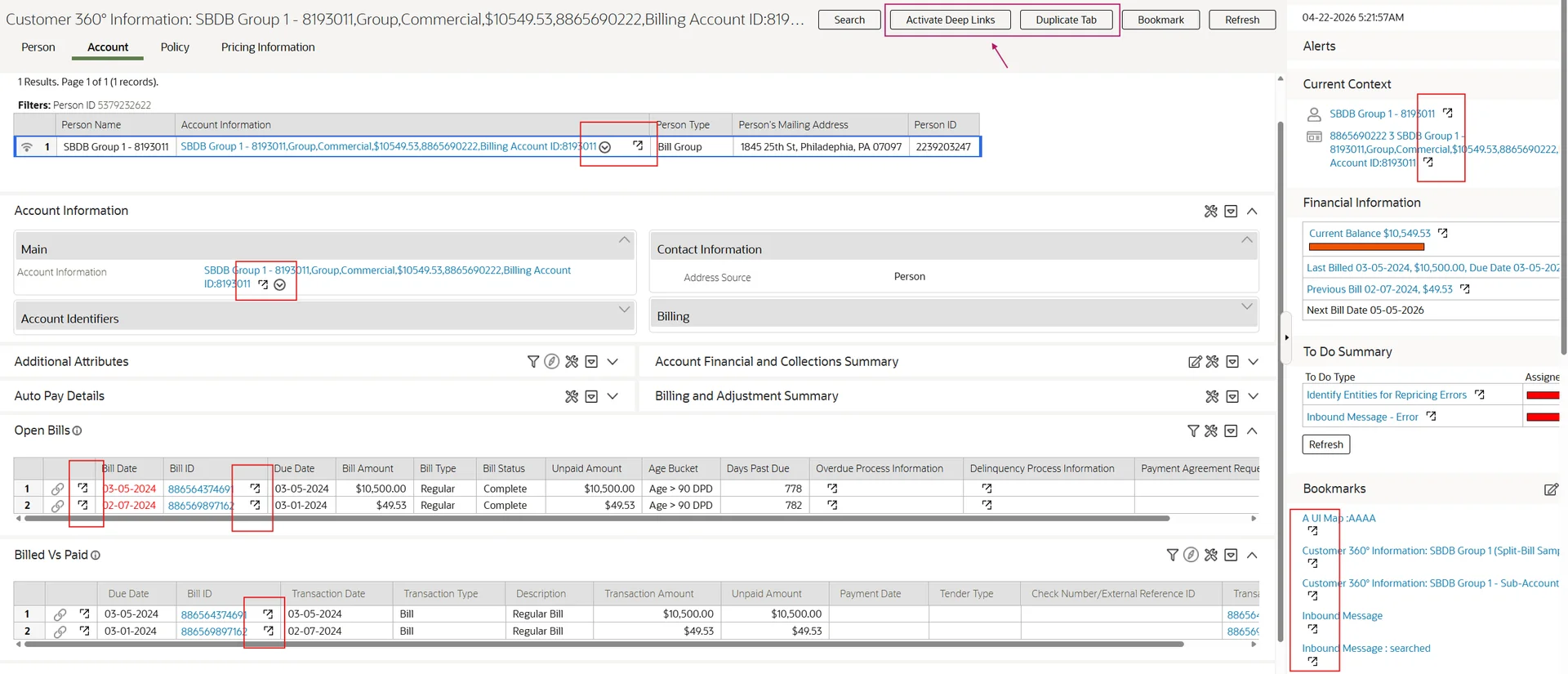
Once initialized, the script injects two custom actions into the page action area:
- Activate Deep Links — enables opening drill-down links in a new tab
- Duplicate Tab — creates an exact copy of the current page in a new tab
These actions are added dynamically, without modifying the base UI, and are available across the application.
1. Activate Deep Links
This feature enables deep linking in ORMB by adding an “open in new tab” action to drill-down links, allowing direct navigation to target pages with full context preserved.
The first problem is that ORMB has multiple types of anchor-based navigation, each working differently. After studying the rendered HTML patterns, I identified six distinct types based on HTML attributes present on the anchor element or its parent
- FKREF — foreign key drill-downs, identified by the parent element's
oratypeattribute

- CONTEXT — links using
handleGotoContext, which carry nav option and field values inline

- GOTOCONTEXT — links using
gotoContext, simpler variant
- CUSTOMCONTEXT — used in utility and metadata maintenance pages

- GOTOENTITY — driven by an XML data node attached to the element

- LINK — standard portal navigation links with a
navOptCdattribute and role aslink

Each type is classified by inspecting the anchor's onclick attribute and parent element attributes or data attributes.
Once the type is known, the handler extracts two things:
- The navigation key (which page to open)
- The broadcast keys (the context values like
PER_ID,ACCT_IDthat tell the page what to show)
These are then used to build a direct URL using the same location, script, and portal parameters described in the deep link documentation — and window.open() does the rest.
The tricky parts:
FKREF links use ORMB's oraNavigate mechanism internally. Getting the context values requires resolving schema metadata functions across the frame hierarchy, since these functions may be loaded in different scopes depending on where the anchor lives.
CUSTOME AND GO TO CONTEXT type links use buildGotoContextInfo — an ORMB framework function that populates context fields based on the current portal state. Before calling it, you have to set up grid/accordion context correctly (fieldId, cKeys) depending on whether the anchor is inside a list grid, subpanel, or accordion. If that setup is missing, the function returns nothing. After reading the values, the original state has to be restored so nothing is disturbed.
GOTOENTITY links navigate to a data node's entity. The node contains pkFieldName1 through pkFieldName5 and corresponding values — these become the broadcast keys.
How it works
When the button is clicked:
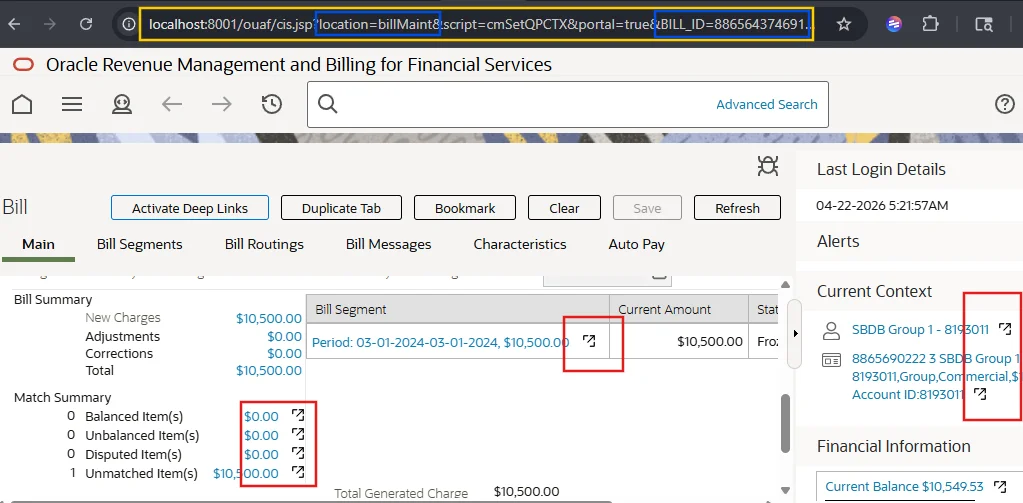
- A new tab is opened with a URL like:
?location=billMaint&script=cmSetQPCTX&portal=true&BILL_ID=886564374691
2. Duplicate Tab
The Duplicate Tab feature allows the user to open the current page in a new tab with the exact same state.
ORMB already provides a similar mechanism through bookmarks. When a bookmark is created, the framework captures the current page as a memento object, which includes:
- Navigation key
- Active tab
- Primary key values
- Portal context values
- Accordion and UI state
How it works
When the button is clicked:
-
The current page state is captured using
tabMenu.getMemento() -
The memento is stored in
localStoragewith a unique key -
A new tab is opened with a URL like:
?type=DUPLICATE&value=<key>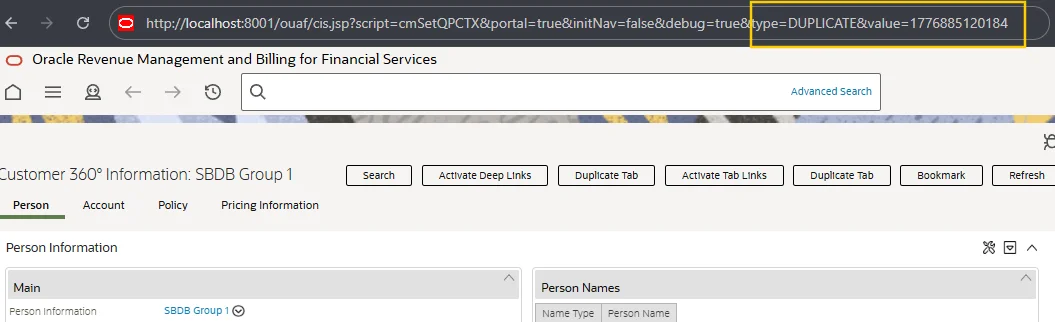
On page load (new tab)
- The BPA script detects the
DUPLICATEparameter -
It retrieves the memento from
localStorage - The framework’s standard page restoration method is invoked with this memento
- The page is reconstructed with the exact same state
3. Bookmark Deep Links
ORMB bookmarks are stored in the database as a serialized page state linked to a user profile. When a user clicks a bookmark, it restores that page in the same tab. By default, ORMB does not support opening bookmarks in a new tab.
This enhancement adds a “open in new tab” icon next to each bookmark.
When the icon is clicked:
- The bookmark key is read from the row metadata
-
A new browser tab is opened using a URL like:
?type=BOOKMARK&value=<bookmarkKey>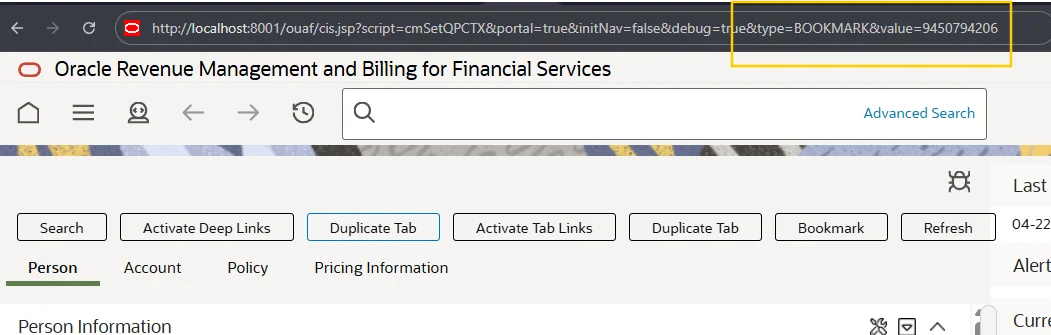
On page load in the new tab:
- A BPA script is triggered
- The script calls a Business Service to fetch the bookmark data from the database
- The retrieved data is passed to the map through the schema
- Custom
restorePage()is then called to restore the bookmarked page state
This allows bookmarks to be opened in a new tab while preserving the exact page context.
The Result
- Any drill-down link can be opened in a new tab with one click
- The current page can be duplicated in full — navigation, context, tab state, accordions
- Any saved bookmark can be opened directly in a new tab
These started as curiosity-driven experiments. If Oracle built this natively they could do it much more cleanly — they have full access to the framework internals. But the deep link infrastructure they've provided is solid enough to build on, and it was a genuinely interesting problem to work through.
If you're interested in trying this, feel free to contact me — I’d be happy to share the components.